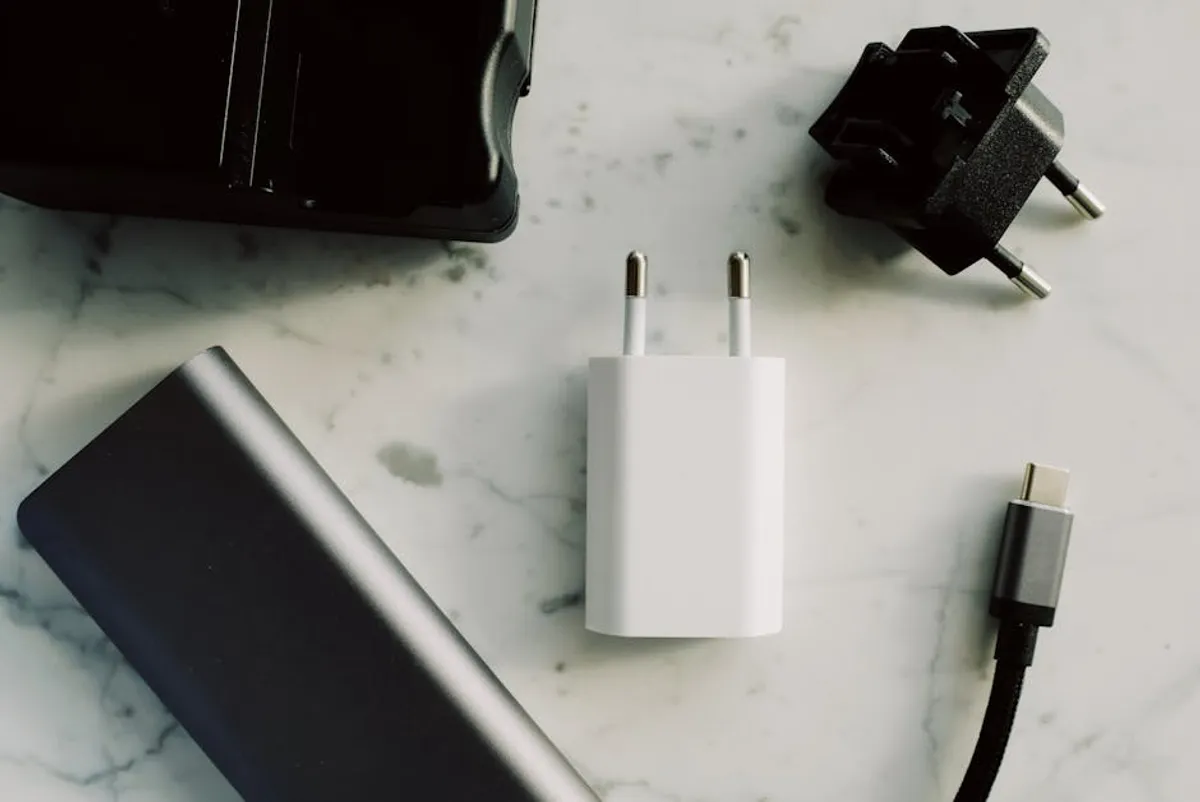
Smart plugs serve as fundamental components in modern smart homes and offices, transforming ordinary appliances into remotely controllable devices. Their utility extends beyond simple on/off functions, often encompassing scheduling, energy monitoring, and integration with voice assistants. Selecting the right smart plug involves evaluating several factors: compatibility with existing smart home ecosystems, the specific features required (e.g., energy tracking, outdoor rating), physical design constraints, and overall reliability. This guide details various smart plug options, highlighting their core functionalities and ideal applications to assist in making an informed decision for diverse operational needs.
How to Choose Smart Plugs
The landscape of smart plugs offers a range of technologies and features. Prioritize compatibility with your existing smart home ecosystem, such as Amazon Alexa, Google Assistant, or Apple HomeKit. Plugs operating on Wi-Fi typically do not require a separate hub, offering simpler setup for many users. However, Zigbee or Thread-enabled plugs often provide lower latency, create a mesh network for improved range, and can reduce strain on your Wi-Fi router, though they usually necessitate a compatible hub.
Consider the physical footprint of the plug; some designs can obstruct adjacent outlets, while compact versions minimize this issue. Energy monitoring is a valuable feature for tracking power consumption of connected devices, aiding in identifying energy hogs and managing utility costs. For outdoor applications, ensure the plug carries an appropriate IP rating for weather resistance. Finally, evaluate the accompanying app's interface for ease of use in scheduling, automation, and remote control, as a clunky app can detract significantly from the overall experience.
1. TP-Link Kasa Smart Plug Mini (EP10)
The Kasa Smart Plug Mini is a compact, Wi-Fi-enabled device designed for straightforward integration into most smart home setups without requiring a dedicated hub. Its small form factor ensures it does not block neighboring outlets on standard wall plates or power strips, making it suitable for tight spaces. It provides basic on/off control, scheduling capabilities, and integrates with major voice assistants like Amazon Alexa and Google Assistant. The Kasa app offers a user-friendly interface for setup and management, including device grouping and away mode simulations.
Best for: Users seeking a reliable, space-saving smart plug for basic control and scheduling of indoor appliances, particularly those already using or planning to use the Kasa ecosystem.
Pros: Compact design; no hub required; reliable Wi-Fi connectivity; responsive app; good integration with voice assistants.
Cons: Lacks energy monitoring; not suitable for outdoor use; limited advanced automation compared to hub-based systems.
Verdict: A dependable choice for simplifying control of indoor lamps, fans, and small electronics, offering a balance of ease of use and consistent performance without additional hardware.
2. Wyze Plug
The Wyze Plug stands out for its competitive pricing and integration within the broader Wyze ecosystem of smart home devices. It offers standard smart plug functionalities including remote control, scheduling, and vacation mode. A key differentiating feature is its energy monitoring capability, allowing users to track power consumption of connected devices directly through the Wyze app. The plug operates on Wi-Fi, eliminating the need for a separate hub, and supports voice control via Amazon Alexa and Google Assistant.
Best for: Budget-conscious users and those invested in the Wyze ecosystem who require basic control alongside energy monitoring for indoor applications.
Pros: Affordable; includes energy monitoring; integrates with other Wyze products; compact design; no hub required.
Cons: App can sometimes be slower to respond than premium alternatives; primarily focused on the Wyze ecosystem, which may limit cross-platform advanced automations.
Verdict: An excellent value proposition for users prioritizing energy insights and basic smart control within a unified, cost-effective smart home platform.
3. Philips Hue Smart Plug
The Philips Hue Smart Plug is designed to integrate seamlessly into existing Philips Hue lighting systems, leveraging the Hue Bridge for Zigbee connectivity. This allows it to participate in Hue scenes, routines, and automations, extending smart control beyond just lighting to any plugged-in appliance. While it requires a Hue Bridge, this integration provides a robust mesh network, often improving responsiveness and range compared to standalone Wi-Fi plugs. Its compact design ensures it doesn't obstruct other outlets.
Best for: Current Philips Hue users looking to expand smart control to non-Hue devices within their established ecosystem, benefiting from Zigbee's stability and network capabilities.
Pros: Seamless integration with Philips Hue system; stable Zigbee connection; compact design; supports Hue scenes and automations.
Cons: Requires a Philips Hue Bridge; higher cost than many Wi-Fi-only alternatives; lacks energy monitoring.
Verdict: An ideal extension for the Philips Hue ecosystem, offering reliable control and deep integration for users already committed to the platform, enhancing overall smart home coherence.
4. Wemo Smart Plug (WSP080)
The Wemo Smart Plug is a Wi-Fi-enabled device known for its strong compatibility with Apple HomeKit, in addition to Amazon Alexa and Google Assistant. This broad integration makes it a versatile choice for users operating across different smart home platforms. It offers standard remote control, scheduling, and timer functions through the Wemo app. The design is relatively compact, though slightly larger than some mini plugs, and it operates without the need for a separate hub, simplifying initial setup.
Best for: Users prioritizing robust Apple HomeKit compatibility and broad voice assistant support, seeking a reliable Wi-Fi plug for indoor use.
Pros: Excellent HomeKit integration; no hub required; reliable Wi-Fi performance; responsive app with intuitive controls.
Cons: Lacks energy monitoring; can be more expensive than basic Wi-Fi plugs; app can sometimes be less streamlined than competitors.
Verdict: A solid performer, particularly for HomeKit users, offering dependable smart control and broad platform compatibility for a variety of indoor appliances.
5. Amazon Smart Plug
The Amazon Smart Plug is specifically engineered for effortless setup and integration within an Amazon Alexa-centric smart home. It utilizes Wi-Fi and connects directly to your Alexa app, often configuring itself automatically upon plugging in, assuming you have an Alexa device nearby. This plug provides basic on/off control, scheduling, and supports Alexa routines. Its primary appeal lies in its simplicity and deep integration with the Alexa ecosystem, making it a natural choice for users already reliant on Amazon's voice assistant.
Best for: Individuals deeply embedded in the Amazon Alexa ecosystem who prioritize quick setup, seamless integration, and basic smart control without a separate hub.
Pros: Exceptionally easy setup with Alexa; no hub required; compact design; reliable performance within the Alexa ecosystem.
Cons: Primarily limited to Alexa integration; lacks energy monitoring; less versatile for non-Alexa users.
Verdict: The go-to option for Alexa users seeking the simplest path to smart plug functionality, offering a streamlined experience for basic appliance control.
6. Google Nest Wifi Smart Plug
While not a standalone product, smart plugs that integrate natively with the Google Home ecosystem, such as those from partners like Cync (GE Lighting), offer seamless setup and control through the Google Home app and Google Assistant. These plugs typically use Wi-Fi or Bluetooth for direct connection, eliminating the need for a separate hub. They provide remote on/off control, scheduling, and can be incorporated into Google Home routines, making them ideal for users who manage their smart home primarily through Google's platform.
Best for: Users committed to the Google Home ecosystem and Google Assistant, seeking straightforward setup and reliable smart control for indoor devices.
Pros: Deep integration with Google Home and Assistant; no hub required for many models; simple setup process; supports Google Home routines.
Cons: Functionality often basic (lacks energy monitoring); primarily optimized for Google ecosystem, limiting cross-platform flexibility.
Verdict: A practical choice for Google Home users, ensuring consistent control and seamless integration with their existing smart home setup.
7. Meross Smart Wi-Fi Plug Mini
The Meross Smart Wi-Fi Plug Mini offers a compelling combination of broad compatibility and affordability. It works with Apple HomeKit, Amazon Alexa, and Google Assistant without requiring a separate hub, making it highly versatile for mixed-ecosystem households. The compact design ensures it won't block adjacent outlets. It provides essential features like remote control, scheduling, and timer functions through the Meross app, which is generally user-friendly and responsive.
Best for: Users seeking a cost-effective smart plug with wide compatibility across major smart home platforms, particularly those who need HomeKit support without a bridge.
Pros: Broad compatibility (HomeKit, Alexa, Google Assistant); no hub required; compact size; budget-friendly; reliable Wi-Fi connection.
Cons: Lacks energy monitoring; app can occasionally be less polished than some premium brands; setup can be slightly more involved for HomeKit than for Alexa/Google.
Verdict: An excellent value proposition for its extensive compatibility and reliable performance, making smart control accessible across multiple platforms without significant investment.
8. Eve Energy
Eve Energy is a premium smart plug designed specifically for Apple HomeKit users, now featuring Thread connectivity in addition to Bluetooth Low Energy. This enables a more robust, self-healing mesh network when used with a Thread border router (like an Apple HomePod mini or Apple TV 4K), improving responsiveness and range. It offers precise energy consumption monitoring, allowing users to track live power usage and historical data through the Home app. No separate hub is required, as it leverages HomeKit's architecture.
Best for: Apple HomeKit users who prioritize privacy, Thread connectivity for enhanced performance, and detailed energy monitoring for indoor appliances.
Pros: Native HomeKit support; Thread enabled for improved reliability and speed; accurate energy monitoring; strong privacy focus; no hub required.
Cons: Exclusively for HomeKit; higher price point; requires a Thread border router for full Thread benefits.
Verdict: The definitive choice for HomeKit enthusiasts seeking advanced features like Thread and energy monitoring, offering a premium and secure smart plug experience.
9. GE Cync Smart Plug
The GE Cync Smart Plug (formerly C by GE) offers a versatile connectivity solution, operating via Wi-Fi and Bluetooth, often without the need for a dedicated hub. It integrates with Amazon Alexa and Google Assistant, and can also be controlled directly through the Cync app. This plug is particularly useful for extending the Cync lighting ecosystem, allowing users to incorporate non-smart lamps and appliances into their existing Cync routines and schedules. Its design is relatively standard, offering a single outlet.
Best for: Users already utilizing GE Cync smart lighting or those seeking a Wi-Fi/Bluetooth hybrid plug for indoor use with major voice assistants.
Pros: Dual Wi-Fi/Bluetooth connectivity; no hub required; integrates with Cync ecosystem; supports Alexa and Google Assistant.
Cons: Lacks energy monitoring; app interface can be less intuitive than some competitors; design is not as compact as some mini plugs.
Verdict: A practical option for integrating traditional appliances into a Cync-centric smart home, providing flexible connectivity and voice control for everyday use.
10. Leviton Decora Smart Wi-Fi Plug-in Outlet (D215P)
The Leviton Decora Smart Wi-Fi Plug-in Outlet is part of Leviton's broader line of Decora Smart devices, known for their robust build quality and advanced features. This plug-in outlet offers Wi-Fi connectivity, requiring no hub, and integrates with Amazon Alexa, Google Assistant, and IFTTT. It provides remote on/off control, scheduling, and can be used to create custom scenes. While it lacks energy monitoring, its commercial-grade construction suggests durability and reliable performance for demanding applications.
Best for: Users prioritizing durability and reliability from a recognized electrical brand, seeking a Wi-Fi plug for indoor use with strong integration capabilities.
Pros: Robust construction; no hub required; good integration with major smart home platforms and IFTTT; reliable Wi-Fi performance.
Cons: Higher price point; lacks energy monitoring; larger physical footprint compared to mini plugs.
Verdict: A dependable, long-term solution for smart control, particularly suited for users who value brand reputation and build quality for their smart home infrastructure.
11. ConnectSense Smart Outlet 2
The ConnectSense Smart Outlet 2 distinguishes itself by offering two independently controllable outlets within a single device, along with energy monitoring capabilities. It supports Apple HomeKit, Amazon Alexa, and Google Assistant without requiring a separate hub, connecting directly via Wi-Fi. This dual-outlet design is particularly efficient for managing multiple devices in a single location, such as a desk or entertainment center. The energy monitoring provides insights into the power consumption of each connected appliance.
Best for: Users needing to control two independent devices from a single wall outlet, who also desire energy monitoring and broad compatibility across major smart home platforms.
Pros: Two independently controllable outlets; includes energy monitoring for each outlet; broad compatibility (HomeKit, Alexa, Google Assistant); no hub required.
Cons: Larger physical size due to dual outlets; higher price point; Wi-Fi setup can be more involved than single-purpose plugs.
Verdict: An efficient and feature-rich choice for maximizing smart control and energy insights from a single wall receptacle, ideal for multi-device setups.
Selecting the Right Smart Plug for Your Needs
The optimal smart plug choice hinges on aligning its capabilities with your specific operational context. Begin by identifying your primary smart home ecosystem (e.g., Alexa, Google Home, HomeKit) to ensure seamless integration and avoid fragmented control. If you already own a smart home hub (like a Philips Hue Bridge or SmartThings hub), consider Zigbee or Thread-enabled plugs for their potential benefits in network stability and responsiveness. For those without a hub, Wi-Fi plugs offer a direct and often simpler setup.
Evaluate whether energy monitoring is a critical feature for your application; this functionality can provide actionable data for energy conservation. Consider the physical space where the plug will be used; compact designs prevent outlet obstruction. For outdoor applications, always verify the product's IP rating to ensure weather resistance. Finally, assess the accompanying app's user experience and the plug's ability to support desired automations and schedules. A well-chosen smart plug enhances convenience, provides control, and can contribute to energy efficiency within any environment.
Frequently Asked Questions
Do smart plugs use a lot of electricity?
No, smart plugs consume a minimal amount of electricity, typically between 0.5 to 1.5 watts when idle. This "vampire drain" is generally negligible over a year and is significantly less than the energy saved by turning off devices that would otherwise remain on standby.
Can smart plugs be used outdoors?
Only smart plugs specifically rated for outdoor use should be deployed in exterior environments. These plugs feature enhanced weather resistance (often indicated by an IP rating like IP44 or IP64) to protect against moisture, dust, and temperature fluctuations. Using an indoor-rated plug outdoors poses a significant safety risk.
Do smart plugs need a hub?
Many modern smart plugs connect directly to your Wi-Fi network and do not require a separate hub for basic functionality. However, some plugs (e.g., Zigbee or Thread-enabled devices) do require a compatible hub or border router to operate, which can offer benefits like improved network stability, extended range, and faster response times.
What devices can I use with a smart plug?
Smart plugs can control most non-smart appliances that have a mechanical on/off switch or that automatically turn on when power is supplied. Common uses include lamps, fans, coffee makers, slow cookers, holiday lights, and humidifiers. They are not suitable for devices that require a button press to power on or that draw more amperage than the plug's rating.
Are smart plugs secure?
Reputable smart plug brands implement security measures like encryption and regular firmware updates to protect against unauthorized access. However, like any internet-connected device, their security also depends on the strength of your Wi-Fi network password and adherence to best practices for smart home security. Always purchase from established manufacturers to ensure ongoing security support.