

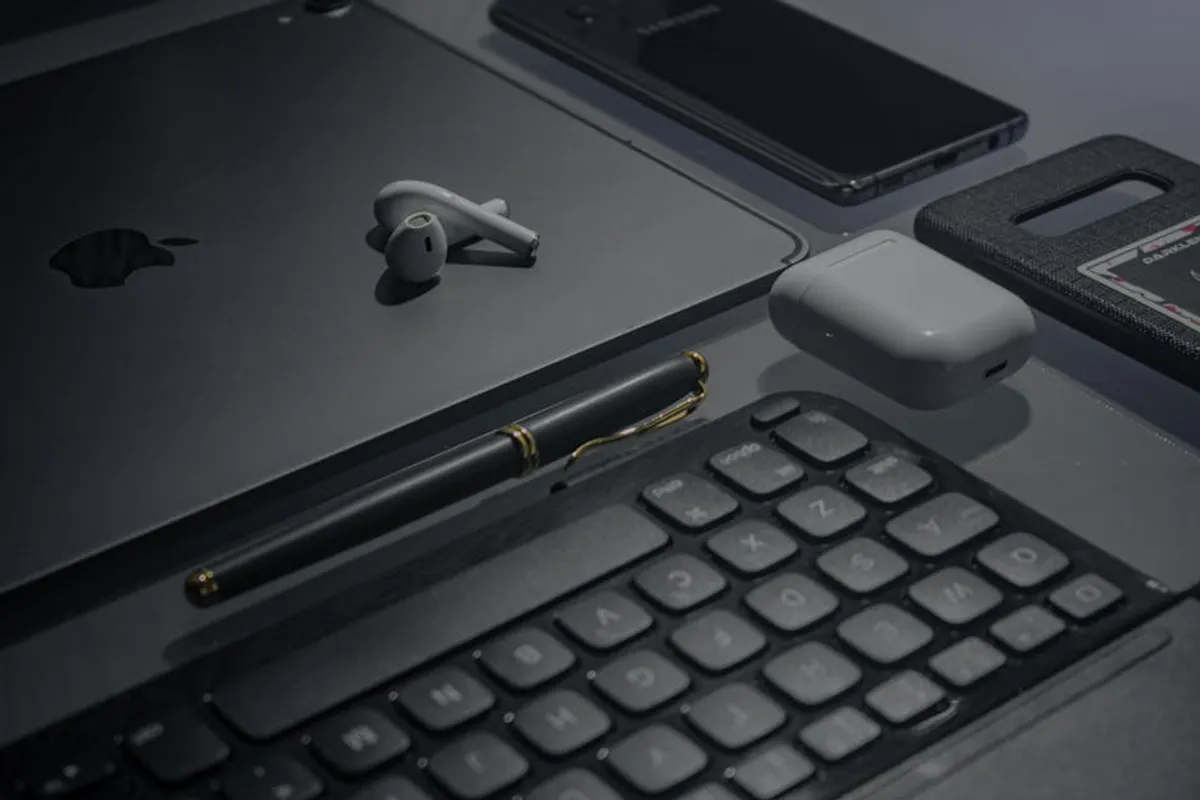
Equipping a remote workspace effectively moves beyond basic connectivity; it involves selecting technology that enhances productivity, maintains professional communication standards, and supports long-term ergonomic health. The right tech accessories bridge the gap between working from a dedicated office and operating from a home environment, addressing potential distractions and limitations. This selection process requires a focus on specific functionalities that directly impact daily workflows, from crystal-clear audio during video calls to comfortable input devices that prevent strain over extended hours. Understanding how each accessory contributes to a seamless and efficient remote setup is crucial for maximizing output and maintaining well-being.
Factors to Consider When Choosing Remote Work Tech
Selecting the optimal tech accessories for remote work involves evaluating several key factors beyond initial cost. Prioritize ergonomics to mitigate physical strain during prolonged use, focusing on adjustable and comfortable designs for keyboards, mice, and monitor stands. Connectivity is paramount; assess whether devices offer reliable wireless performance or require stable wired connections, considering your home network infrastructure. Audio and visual quality directly impact communication effectiveness, making high-fidelity microphones and sharp webcams essential for professional interactions. Portability might be a factor if your remote setup is fluid, requiring devices that are easy to transport and quick to set up. Finally, consider integration with your existing devices and software to ensure a cohesive and friction-free user experience, avoiding compatibility issues that can disrupt workflow.
1. Premium Noise-Cancelling Headsets
Premium noise-cancelling headsets are engineered to create a personal quiet zone, essential for remote professionals operating in environments with ambient noise. These devices combine active noise cancellation (ANC) technology with high-fidelity audio drivers and advanced microphone arrays. The ANC actively counteracts external sounds, allowing users to focus on calls or tasks without distraction. Microphones are often designed with beamforming or environmental noise cancellation to isolate the speaker's voice, ensuring clarity for listeners. Comfort is a primary design consideration, with plush earcups and adjustable headbands supporting extended wear.
Best For: Professionals in shared living spaces, frequent video conference participants, or anyone requiring deep concentration in noisy home environments.
Pros:
- Significantly reduces environmental distractions, improving focus.
- Delivers clear outgoing audio, critical for professional communication.
- Comfortable for long periods of use, preventing ear fatigue.
- Often includes long battery life and reliable wireless connectivity.
Cons:
- Higher initial investment compared to standard headphones.
- Can sometimes create a feeling of isolation, requiring adjustment.
- Bulkier than earbuds, potentially less portable for some users.
Verdict: An indispensable accessory for maintaining productivity and communication quality in challenging acoustic environments. The investment pays off in reduced stress and improved call clarity.
2. Ergonomic Wireless Keyboards
Ergonomic wireless keyboards are designed to promote natural hand and wrist positioning, reducing strain and the risk of repetitive strain injuries (RSIs) during prolonged typing. Features often include split layouts, tenting capabilities, cushioned palm rests, and concave keycaps that conform to finger shape. Wireless connectivity minimizes cable clutter and offers flexibility in desk setup. Key switches are typically chosen for a comfortable tactile response and quiet operation, suitable for home office use. The focus is on long-term user health and comfort, directly impacting typing speed and accuracy over extended work sessions.
Best For: Writers, programmers, data entry specialists, or any remote worker who types for several hours daily.
Pros:
- Reduces wrist and hand strain, preventing discomfort and potential injury.
- Improves typing posture, contributing to overall ergonomic health.
- Wireless design provides a cleaner desk and flexible positioning.
- Often includes programmable keys for workflow optimization.
Cons:
- Requires an adjustment period to adapt to the new layout.
- Can be larger and heavier than standard keyboards, impacting portability.
- Generally costs more than conventional keyboard options.
Verdict: A critical investment for long-term health and sustained productivity, especially for those with high typing demands. The initial adaptation is a small trade-off for improved comfort.
3. Precision Wireless Mice
Precision wireless mice offer advanced tracking capabilities and ergonomic designs tailored for comfortable, accurate navigation. Unlike basic mice, these often feature high Dots Per Inch (DPI) sensors for fine cursor control, customizable buttons for shortcuts, and scroll wheels with multiple modes (e.g., hyper-fast scrolling). Ergonomic considerations include contoured shapes that fit the hand naturally, reducing grip fatigue, and thumb rests. Wireless connectivity through Bluetooth or a dedicated USB receiver ensures a clutter-free workspace and responsive performance, crucial for tasks requiring intricate cursor movements.
Best For: Graphic designers, video editors, spreadsheet analysts, or anyone whose work requires precise cursor control and frequent mouse interaction.
Pros:
- Enhances cursor accuracy and responsiveness, boosting efficiency in detailed tasks.
- Ergonomic design reduces hand and wrist fatigue during extended use.
- Customizable buttons streamline workflows by assigning common actions.
- Wireless freedom minimizes desk clutter and allows for flexible positioning.
Cons:
- Higher price point than standard mice.
- Advanced features may be overkill for casual users.
- Requires periodic battery charging or replacement.
Verdict: Essential for tasks demanding precision and speed, offering significant ergonomic benefits and workflow enhancements that justify the cost.
4. High-Resolution Webcams
High-resolution webcams deliver superior video quality compared to integrated laptop cameras, ensuring professional presentation during virtual meetings. These devices typically offer resolutions of 1080p or 4K, with improved low-light performance, wider fields of view, and auto-focus capabilities. Advanced models include features like AI-powered framing, facial recognition, and integrated stereo microphones that capture clearer audio than most built-in options. The goal is to project a sharp, well-lit, and professional image, critical for client interactions and team collaborations.
Best For: Remote workers who frequently participate in video conferences, conduct virtual presentations, or need to maintain a professional appearance online.
Pros:
- Provides significantly sharper and clearer video quality.
- Better low-light performance and accurate color reproduction.
- Wider field of view can capture more of the workspace or multiple participants.
- Often includes superior integrated microphones for clearer audio.
Cons:
- Requires an available USB port.
- Can be an additional item to carry for mobile remote workers.
- Higher-end models represent a notable expense.
Verdict: A fundamental upgrade for anyone seeking to elevate their virtual presence, directly impacting professional perception and communication effectiveness.
5. Ultrawide Curved Monitors
Ultrawide curved monitors offer an expansive visual workspace, replacing multi-monitor setups with a single, seamless display. The curved form factor is designed to enhance immersion and reduce eye strain by maintaining a consistent focal distance across the entire screen. These monitors provide ample screen real estate for multitasking, allowing multiple applications or large spreadsheets to be viewed side-by-side without the bezel interruptions of dual monitors. High resolutions and refresh rates are common, ensuring sharp text and smooth visuals for all types of work.
Best For: Developers, financial analysts, graphic designers, or anyone who benefits from having multiple windows open simultaneously without toggling.
Pros:
- Provides a vast, uninterrupted workspace for enhanced multitasking.
- Curved design reduces eye strain and improves viewing comfort.
- Eliminates bezels found in multi-monitor setups for a seamless experience.
- Often includes advanced features like Picture-by-Picture (PbP) and Picture-in-Picture (PiP).
Cons:
- Requires significant desk space.
- Higher cost than traditional flat monitors.
- May not be ideal for all types of content or specific gaming scenarios.
Verdict: Transforms the remote workspace into a highly efficient command center, significantly boosting productivity for information-dense tasks and creative work.
6. Adjustable Standing Desks
Adjustable standing desks allow users to alternate between sitting and standing positions throughout the workday, promoting better posture and reducing the sedentary risks associated with prolonged sitting. These desks typically feature electric motors for smooth, quick height adjustments and often include memory presets for preferred heights. The ability to change posture helps alleviate back pain, improve circulation, and maintain energy levels, contributing to overall physical well-being and sustained focus. Many models also offer robust construction for stability and ample surface area for multiple monitors and accessories.
Best For: All remote workers, especially those concerned about sedentary lifestyles, back pain, or maintaining energy throughout long workdays.
Pros:
- Promotes healthier posture and reduces risks associated with prolonged sitting.
- Alleviates back pain and improves circulation.
- Enhances energy levels and focus throughout the workday.
- Offers flexibility to adapt to different tasks and comfort needs.
Cons:
- Higher initial cost compared to fixed-height desks.
- Requires dedicated space and can be heavy to move.
- Some users may find the transition between sitting and standing takes adjustment.
Verdict: A foundational investment in ergonomic health for any remote worker, offering long-term benefits in comfort, well-being, and sustained productivity.
7. Portable SSDs
Portable Solid State Drives (SSDs) provide fast, reliable, and compact storage solutions for remote workers who handle large files or need secure, off-device backups. Unlike traditional hard disk drives (HDDs), SSDs have no moving parts, making them more durable, resistant to drops, and significantly faster in read/write speeds. Their compact size makes them highly portable, fitting easily into a bag or pocket. Connection typically occurs via USB-C, ensuring broad compatibility and quick data transfer rates, crucial for creative professionals or those managing extensive datasets.
Best For: Video editors, photographers, data analysts, or remote workers who frequently transfer large files, require secure backups, or need portable access to their work.
Pros:
- Exceptional data transfer speeds, reducing wait times for large file operations.
- High durability and shock resistance due to no moving parts.
- Compact and lightweight, ideal for portability.
- Reliable for secure data backup and archiving.
Cons:
- Higher cost per gigabyte compared to portable HDDs.
- Capacity limits may be a factor for extremely large archives.
- Performance can vary based on the host device's USB port capabilities.
Verdict: An essential tool for professionals requiring rapid data access, secure portable storage, and robust backup capabilities, especially when working with demanding file types.
8. USB-C Hubs/Docks
USB-C hubs and docking stations expand the connectivity options of modern laptops, which often feature limited ports. These accessories consolidate multiple peripheral connections—such as USB-A, HDMI, Ethernet, SD card readers, and even power delivery—into a single USB-C port on the host device. This simplifies cable management, allows for easy connection to external monitors, and ensures access to necessary legacy peripherals. High-quality hubs support fast data transfer, stable network connections, and sufficient power delivery to charge the laptop simultaneously, making them central to a comprehensive remote setup.
Best For: Remote workers with modern laptops lacking diverse ports, those who use multiple peripherals, or individuals needing to connect to external displays and wired networks.
Pros:
- Significantly expands laptop connectivity with a single port.
- Reduces cable clutter and simplifies workspace setup.
- Enables connection to external monitors, wired networks, and legacy USB devices.
- Often provides power delivery to charge the laptop and connected devices.
Cons:
- Quality and performance can vary significantly between brands.
- Can sometimes generate heat during heavy use.
- Requires an available USB-C port on the host device.
Verdict: A foundational accessory for modern remote workspaces, transforming limited laptop ports into a versatile connectivity hub, essential for productivity and peripheral integration.
9. Ring Lights for Video Conferencing
Ring lights provide even, flattering illumination for video conferencing, eliminating harsh shadows and improving overall video quality. These lights typically feature adjustable brightness and color temperature settings, allowing users to customize the lighting to their environment and skin tone. The circular design casts a soft, diffused light that minimizes facial shadows, making individuals appear more professional and engaged on camera. Many models are USB-powered and come with flexible mounting options, making them easy to integrate into any desk setup.
Best For: Remote professionals who frequently engage in video calls, conduct virtual interviews, or create video content, especially in poorly lit rooms.
Pros:
- Dramatically improves video quality by providing consistent, flattering illumination.
- Reduces shadows and enhances facial clarity for a more professional appearance.
- Adjustable brightness and color temperature for versatile lighting control.
- Compact and easy to set up, often USB-powered for convenience.
Cons:
- Requires an available USB port or power adapter.
- Can create a visible ring reflection in glasses.
- May require some experimentation to find the optimal placement.
Verdict: A simple yet highly effective tool for elevating virtual presence, ensuring you always look your best during important video communications.
10. Smart Power Strips/UPS
Smart power strips and Uninterruptible Power Supplies (UPS) offer essential power management and protection for remote work setups. Smart power strips allow individual outlets to be controlled remotely via an app or voice commands, enabling scheduled power cycles or turning off idle devices to save energy. UPS units provide battery backup during power outages, ensuring continuous operation for critical devices like computers and modems, preventing data loss and maintaining connectivity. Both types often include surge protection, safeguarding valuable electronics from voltage spikes.
Best For: Remote workers in areas with unreliable power, those needing to protect sensitive electronics, or individuals looking to optimize energy consumption.
Pros:
- Protects valuable electronics from power surges and outages.
- UPS provides critical battery backup for uninterrupted work during power failures.
- Smart strips enable remote control and energy monitoring of individual outlets.
- Helps reduce phantom power drain from idle devices.
Cons:
- UPS units can be bulky and expensive.
- Smart strip features require network connectivity and app setup.
- Battery life of UPS units is limited, intended for graceful shutdown rather than extended use.
Verdict: A crucial layer of protection and control for any remote workstation, safeguarding equipment and ensuring continuity during electrical fluctuations.
11. Compact Document Scanners
Compact document scanners offer a streamlined solution for digitizing physical documents in a remote setting, eliminating the need for a traditional office scanner or printer with scanning capabilities. These devices are designed for portability and efficiency, often featuring sheet-fed mechanisms for quick scanning of multiple pages. They typically connect via USB and come with software that facilitates optical character recognition (OCR), allowing scanned documents to be searchable and editable. Their small footprint makes them suitable for home offices with limited space.
Best For: Remote workers who frequently handle physical paperwork, need to digitize receipts, contracts, or forms, or require a compact scanning solution.
Pros:
- Quickly digitizes physical documents, streamlining paper-based workflows.
- Compact size saves desk space and offers portability.
- Often includes OCR software for searchable and editable documents.
- Eliminates reliance on external office equipment for scanning needs.
Cons:
- Not suitable for scanning books or fragile documents.
- Can be limited in features compared to multifunction printers.
- Requires software installation and periodic maintenance for optimal performance.
Verdict: An efficient tool for managing physical documents in a digital-first remote environment, enhancing organization and accessibility for paper-heavy tasks.
12. Wireless Charging Pads
Wireless charging pads provide a convenient and clutter-free way to keep smartphones, earbuds, and other compatible devices powered throughout the workday. Utilizing Qi inductive charging technology, these pads eliminate the need for multiple charging cables, simplifying desk management. Many pads support fast wireless charging for compatible devices and can charge through phone cases. Their discreet design integrates seamlessly into any workspace, ensuring devices are always topped up and ready for use without interrupting workflow to search for cables.
Best For: Remote workers with multiple Qi-compatible devices (smartphones, earbuds, smartwatches) who prioritize a tidy desk and convenient power access.
Pros:
- Eliminates cable clutter, contributing to a cleaner and more organized desk.
- Offers convenient, drop-and-charge power for compatible devices.
- Supports fast wireless charging for quick power boosts.
- Reduces wear and tear on device charging ports.
Cons:
- Charging speed is generally slower than wired charging.
- Requires precise device placement for optimal charging.
- Only works with Qi-compatible devices.
Verdict: A practical accessory for maintaining device readiness and enhancing desk aesthetics, simplifying the charging process for frequently used personal tech.
Optimizing Your Remote Work Setup
Beyond individual accessories, a truly optimized remote work setup considers how all components integrate and support your unique workflow. Focus on creating a cohesive ecosystem where devices communicate seamlessly, whether through shared wireless protocols or unified charging solutions. Regularly assess your setup for bottlenecks or inefficiencies; for example, if video calls are consistently choppy, investigate network stability or webcam settings. Future-proofing involves selecting accessories that offer broad compatibility and are built to last, avoiding frequent replacements. Prioritize solutions that offer modularity, allowing you to upgrade or expand components as your needs evolve, ensuring your workspace remains adaptable to new technologies and changing demands.
Frequently Asked Questions
What is the most important tech accessory for remote work?
The most crucial accessory depends on your specific role. For communication-heavy roles, a premium noise-cancelling headset and high-resolution webcam are paramount. For intensive typing, an ergonomic keyboard is essential. Prioritize based on your primary daily activities.
How can I improve my remote work setup on a budget?
Start by addressing immediate pain points. If audio quality is poor, invest in a quality microphone. If you experience back pain, consider an ergonomic chair or monitor arm before a full standing desk. Look for refurbished options or sales on essential items.
Are wireless accessories always better than wired ones for remote work?
Wireless accessories offer greater flexibility and reduce cable clutter, enhancing desk aesthetics. However, wired connections often provide more reliable performance, especially for high-bandwidth tasks like external monitors or stable network connections. The choice depends on your specific needs for reliability versus convenience.
How do I ensure my tech accessories are compatible with my computer?
Always check the connection types (USB-A, USB-C, HDMI, Bluetooth version) and operating system compatibility listed by the manufacturer. For USB-C hubs, ensure your laptop's USB-C port supports power delivery and video output if those features are required.



