

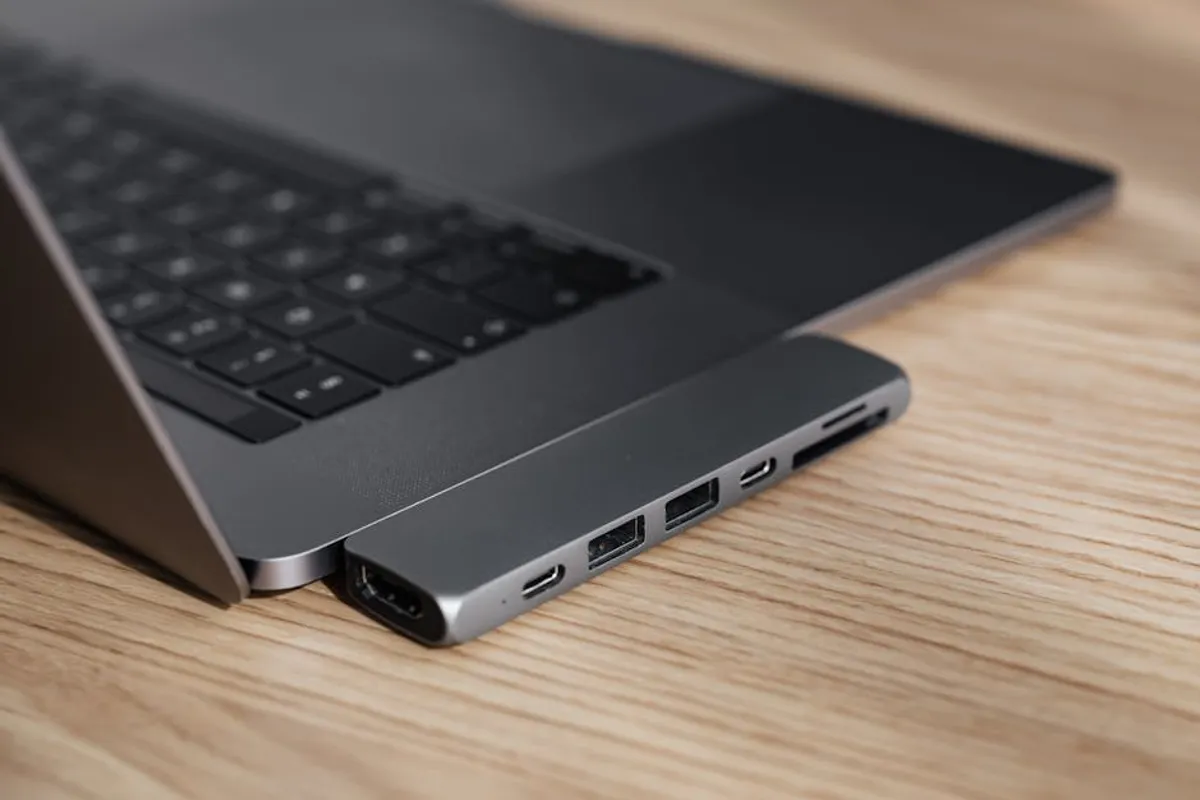
Modern laptops, particularly ultrabooks and professional models, increasingly prioritize thinness and portability, often at the expense of traditional port selection. This design trend necessitates the use of external USB hubs and adapters to regain essential connectivity for peripherals, external displays, and network access. Choosing the right hub or adapter is not merely about adding ports; it’s about ensuring seamless workflow, maintaining data integrity, and leveraging the full potential of your laptop’s capabilities without compromising performance or reliability. The distinction lies in understanding specific connectivity needs, power requirements, and data transfer speeds to select a device that integrates effectively into your professional setup.
What to Look For in USB Hubs and Adapters
Selecting an appropriate USB hub or adapter requires assessing several key technical specifications and functional considerations to ensure it meets your operational demands. Generic solutions often lead to performance bottlenecks or compatibility issues. Evaluate these factors before committing:
- Port Selection: Identify the exact types and quantities of ports you require. Common needs include USB-A for legacy peripherals, USB-C for modern devices and charging, HDMI/DisplayPort for external monitors, Ethernet for stable wired internet, and SD/microSD card readers for media transfer.
- Power Delivery (PD): For USB-C hubs, Power Delivery is critical. This specifies the wattage the hub can pass through to charge your laptop while simultaneously running peripherals. Ensure the hub’s PD rating meets or exceeds your laptop’s charging requirements (e.g., 60W, 100W). Lower wattage can result in slow charging or battery drain under load.
- Data Transfer Speeds: USB standards dictate speed. USB 3.0 (now often called USB 3.2 Gen 1) offers 5Gbps. USB 3.1 Gen 2 (now USB 3.2 Gen 2) offers 10Gbps. Thunderbolt 3/4 offers 40Gbps, supporting higher bandwidth for multiple high-resolution displays and rapid data transfer. Match the hub’s capabilities to your peripheral speeds to avoid bottlenecks.
- Video Output Capabilities: If connecting external monitors, verify the hub supports the desired resolution and refresh rate (e.g., 4K at 30Hz, 4K at 60Hz). Some hubs only support 4K 30Hz, which can appear choppy for productivity tasks. Multi-monitor support also varies; confirm if the hub uses DisplayLink technology for extended displays on systems that don't natively support multiple external monitors via a single USB-C port.
- Build Quality and Heat Dissipation: Aluminum enclosures generally offer better heat dissipation than plastic, which is important for sustained performance, especially when charging or driving multiple displays. Consider durability for travel.
- Cable Length and Type: The integrated cable’s length affects desk organization and accessibility. Some hubs feature detachable cables, offering more flexibility. Ensure the cable type (USB-C to USB-C, USB-C to USB-A) matches your laptop’s available ports.
- Compatibility: Confirm the hub is compatible with your laptop’s operating system (Windows, macOS, ChromeOS) and specific USB-C or Thunderbolt port capabilities. Not all USB-C ports are equal; some only support data, while others support video (DisplayPort Alternate Mode) and power.
1. Anker PowerExpand+ 7-in-1 USB-C Hub
The Anker PowerExpand+ 7-in-1 hub provides a balanced set of essential ports for users seeking a compact, reliable expansion solution without excessive bulk. Its aluminum casing contributes to efficient heat management during sustained operation, an important factor when charging a laptop and connecting multiple peripherals simultaneously. This hub prioritizes a core set of functionalities, making it a practical choice for everyday use rather than specialized high-bandwidth applications.
Best for: Everyday laptop users, students, and professionals needing a versatile, portable hub for presentations, basic data transfer, and standard peripheral connectivity.
Pros:
- Integrated 100W Power Delivery pass-through, allowing laptops to charge at up to 85W while the hub uses 15W.
- Supports 4K 30Hz HDMI output, suitable for most presentation and single-monitor setups.
- Includes two USB-A 3.0 ports (5Gbps), an SD card slot, a microSD card slot, and a Gigabit Ethernet port for stable wired networking.
- Compact and lightweight aluminum design enhances portability and durability.
Cons:
- HDMI output is limited to 4K 30Hz, which may not be ideal for users requiring smoother motion or higher refresh rates on external displays.
- No additional USB-C data port for connecting modern USB-C peripherals.
- The integrated cable is short, which can limit placement options on some desks.
Verdict: A dependable, cost-effective hub for essential connectivity, providing robust charging and a solid port selection for general productivity. Its 4K 30Hz HDMI output is the primary limitation for specific video-intensive workflows.
2. Satechi Aluminum Multi-Port Adapter V2
Satechi’s Multi-Port Adapter V2 is designed with a premium aesthetic that complements Apple products, featuring a sleek aluminum finish. Beyond its appearance, it offers a comprehensive array of ports, including 4K HDMI, Gigabit Ethernet, and multiple USB-A ports, alongside a USB-C PD pass-through. This adapter is built for users who prioritize both design and functionality, providing a desktop-like expansion experience from a single USB-C port, making it suitable for hybrid work environments.
Best for: MacBook users and professionals who value a cohesive aesthetic and a robust set of ports for a semi-permanent desk setup or frequent travel.
Pros:
- Supports 4K 60Hz HDMI output, enabling smoother video and display performance compared to 30Hz alternatives.
- Offers up to 60W Power Delivery for laptop charging, sufficient for many ultrabooks.
- Includes three USB-A 3.0 ports (5Gbps), Gigabit Ethernet, and both SD/microSD card readers.
- Premium aluminum construction provides durability and effective heat dissipation.
Cons:
- 60W PD might be insufficient for power-hungry 15-inch or 16-inch laptops under heavy load.
- No dedicated USB-C data port for connecting modern USB-C peripherals.
- Higher price point than many comparable hubs.
Verdict: An excellent choice for users seeking a high-quality, aesthetically pleasing hub with 4K 60Hz video output and a strong general port selection. Its 60W PD limitation should be considered for larger laptops.
3. CalDigit TS4 Thunderbolt 4 Dock
The CalDigit TS4 is a professional-grade Thunderbolt 4 dock, engineered for users demanding maximum bandwidth, extensive port options, and reliable power delivery. It transforms a single Thunderbolt 4 port into 18 diverse connections, supporting multiple high-resolution displays and numerous high-speed peripherals. This dock is a significant investment aimed at power users, creative professionals, and developers who require a robust, future-proof desktop solution for complex workflows, moving beyond the capabilities of standard USB-C hubs.
Best for: Creative professionals, developers, and power users with Thunderbolt 4/3 equipped laptops who require extensive connectivity, dual 4K displays, and high-speed data transfer capabilities.
Pros:
- Provides 98W Power Delivery to the host laptop, accommodating even the most demanding professional notebooks.
- Features three Thunderbolt 4 downstream ports (40Gbps), three USB-C 3.2 Gen 2 ports (10Gbps), and five USB-A 3.2 Gen 2 ports (10Gbps), offering unparalleled data transfer speeds.
- Supports dual 4K 60Hz displays or a single 8K 60Hz display (host dependent).
- Includes 2.5 Gigabit Ethernet, SD 4.0 (UHS-II) and microSD 4.0 card readers, and a 3.5mm audio combo jack.
Cons:
- Significantly higher cost than typical USB-C hubs, reflecting its advanced capabilities.
- Requires a Thunderbolt 4 or Thunderbolt 3 port on the host laptop for full functionality.
- Larger form factor and requires external power, reducing portability compared to bus-powered hubs.
Verdict: The definitive solution for users who need a comprehensive, high-performance docking station, offering unmatched connectivity and power delivery for demanding professional environments. Its price and Thunderbolt requirement position it for a specific, high-end user base.
4. Plugable USB-C 7-in-1 Hub (USBC-HUB7BC)
Plugable's 7-in-1 USB-C hub focuses on delivering essential connectivity with an emphasis on reliability and broad compatibility. It integrates a practical selection of ports, including HDMI, USB-A, and card readers, into a compact, bus-powered design. This hub is engineered for users who need a straightforward, functional extension of their laptop's capabilities without requiring power-hungry features or specialized high-bandwidth connections, making it a solid choice for general office tasks and travel.
Best for: Users needing a cost-effective, portable hub for basic expansion of USB-A devices, external displays, and media card access, especially those with USB-C laptops.
Pros:
- Supports 4K 30Hz HDMI output, suitable for presentations and single external monitors.
- Includes two USB-A 3.0 ports (5Gbps), an SD card reader, a microSD card reader, and a USB-C Power Delivery pass-through for charging up to 87W.
- Compact and bus-powered design enhances portability, requiring no external power adapter.
- Broad compatibility with Windows, macOS, and ChromeOS devices.
Cons:
- HDMI limited to 4K 30Hz, which may not satisfy users requiring smoother display motion.
- No Gigabit Ethernet port, limiting wired network options.
- Lacks a dedicated USB-C data port for connecting other USB-C peripherals.
Verdict: A reliable and affordable option for fundamental connectivity needs, offering solid Power Delivery and a useful array of ports for general productivity. Its lack of Gigabit Ethernet and 4K 60Hz HDMI are key considerations.
5. Belkin USB-C Multimedia Hub
The Belkin USB-C Multimedia Hub is designed for users who require a robust and reliable connection for presentations and general productivity. It features a durable, compact design with a focus on core multimedia and data transfer functions. Belkin emphasizes quality and compatibility, making this hub a dependable choice for business professionals who frequently connect to projectors or external monitors, along with standard USB peripherals. Its integrated cable management makes it travel-friendly.
Best for: Business travelers, educators, and professionals who frequently present and need reliable access to HDMI, Ethernet, and USB-A ports on the go.
Pros:
- Supports 4K 30Hz HDMI output, suitable for most projector and single display connections.
- Includes Gigabit Ethernet for stable wired network access, crucial in varying Wi-Fi environments.
- Offers two USB-A 3.0 ports (5Gbps) and a USB-C Power Delivery pass-through up to 60W.
- Durable construction with an integrated, foldable cable for enhanced portability and protection.
Cons:
- Power Delivery pass-through is limited to 60W, potentially insufficient for larger laptops.
- HDMI output is 4K 30Hz, which can result in less fluid motion on high-resolution displays.
- Lacks SD/microSD card readers, requiring separate adapters for media transfer.
Verdict: A well-built, dependable hub focusing on essential business connectivity like HDMI and Ethernet. Its 60W PD and 4K 30Hz HDMI are the main trade-offs, but its robust design makes it a solid travel companion.
6. UGREEN USB C Hub 6-in-1
UGREEN’s 6-in-1 USB C Hub offers a pragmatic combination of essential ports in a compact, budget-friendly package. It targets users who need to expand their laptop’s connectivity for common tasks without investing in high-end features. This hub provides a solid foundation for connecting external displays, legacy USB devices, and media cards, making it a viable option for home users or those with less demanding professional requirements. Its aluminum alloy casing aids in heat dissipation.
Best for: Budget-conscious users, home office setups, and casual users needing basic port expansion for peripherals, a single external display, and media card access.
Pros:
- Offers 4K 30Hz HDMI output, suitable for standard external monitors and projectors.
- Includes three USB-A 3.0 ports (5Gbps), an SD card reader, a microSD card reader, and 100W Power Delivery pass-through.
- Compact aluminum design for portability and heat management.
- Generally more affordable than competing brands with similar feature sets.
Cons:
- HDMI resolution is limited to 4K 30Hz.
- No Gigabit Ethernet port, requiring reliance on Wi-Fi or another adapter for wired network.
- Power Delivery pass-through is 100W, but actual charging wattage to the laptop is typically 85W-90W due to hub power consumption.
Verdict: A strong value proposition for basic and intermediate connectivity needs, providing ample USB-A ports and media card access. The absence of Gigabit Ethernet and 4K 60Hz HDMI are its primary functional limitations.
7. HyperDrive PRO 8-in-2 USB-C Hub
The HyperDrive PRO 8-in-2 hub is specifically designed for MacBook Pro/Air models that feature two side-by-side USB-C/Thunderbolt ports. It plugs directly into both ports, providing a more stable and integrated connection while offering a comprehensive array of ports. This design eliminates a dangling cable, creating a cleaner aesthetic and a more secure physical connection. It caters to MacBook users who want to maximize their connectivity without compromising the laptop's sleek profile.
Best for: MacBook Pro/Air users with two adjacent USB-C ports who prefer a direct-connect hub for a streamlined, stable desktop setup and extensive port expansion.
Pros:
- Direct dual USB-C connection provides enhanced stability and bandwidth for multiple peripherals.
- Supports 4K 60Hz HDMI output for smooth external display performance.
- Includes two USB-A 3.0 ports (5Gbps), a USB-C data port (5Gbps), Gigabit Ethernet, and both SD/microSD card readers.
- Pass-through Power Delivery up to 100W for efficient laptop charging.
Cons:
- Only compatible with MacBook Pro/Air models featuring two adjacent USB-C ports, limiting its versatility across other laptop brands.
- Occupies both USB-C ports, potentially limiting other direct connections.
- Can be difficult to use with certain laptop cases due to the direct-connect design.
Verdict: An ideal, integrated solution for specific MacBook users, offering high-speed video and data transfer with a clean form factor. Its limited compatibility is a significant consideration for non-MacBook users.
8. Dell DA310 USB-C Mobile Adapter
The Dell DA310 is a versatile 7-in-1 mobile adapter designed for professionals who require a comprehensive set of ports in a highly portable form factor. Its unique coaxial cable design allows for flexible positioning and neat cable management, either extended or retracted into the adapter itself. This adapter is built for broad compatibility across various USB-C laptops, focusing on delivering essential connectivity for presentations, network access, and peripheral expansion in dynamic work environments.
Best for: Mobile professionals and Dell laptop users needing a compact, all-in-one adapter with flexible cable management for presentations, wired networking, and general connectivity.
Pros:
- Offers a wide range of video outputs: HDMI (4K 60Hz), DisplayPort (4K 60Hz), and VGA, ensuring compatibility with various display types.
- Includes Gigabit Ethernet, two USB-A 3.1 Gen 2 ports (10Gbps), and a USB-C 3.1 Gen 2 data/PD pass-through port.
- Supports up to 90W Power Delivery pass-through to the host laptop.
- Unique coaxial cable design allows the cable to be fully retracted for compact storage or extended for flexible desk placement.
Cons:
- No integrated SD/microSD card readers, requiring a separate adapter for media transfer.
- While it has multiple video outputs, it typically supports only one active display at a time.
- Higher cost than many basic hubs without the card reader functionality.
Verdict: A highly versatile and portable adapter, particularly strong in video output options and featuring useful 10Gbps USB-A ports. Its unique cable management and broad compatibility make it a strong contender for mobile professionals, despite the lack of card readers.
9. StarTech.com USB-C Multiport Adapter with PD
StarTech.com is known for its robust, IT-grade connectivity solutions, and their USB-C Multiport Adapter reflects this commitment to reliability and broad compatibility. This adapter is designed for business and IT professionals who need dependable performance across various operating systems and hardware configurations. It focuses on providing essential ports without unnecessary frills, ensuring stable connections for critical tasks such as network administration, data transfer, and external display management.
Best for: IT professionals, system administrators, and business users who prioritize robust, reliable connectivity and broad compatibility across different laptop brands and operating systems.
Pros:
- Supports 4K 60Hz HDMI output, crucial for clear and smooth external display connections.
- Includes Gigabit Ethernet for secure and stable wired network access.
- Features a USB-A 3.0 port (5Gbps) and a USB-C Power Delivery pass-through port up to 100W.
- Rugged construction designed for durability in professional environments.
Cons:
- Limited number of USB-A ports (only one), which may require additional hubs for multiple legacy peripherals.
- No SD/microSD card readers, making it less suitable for photographers or videographers.
- Higher price point compared to consumer-grade hubs with more ports.
Verdict: A reliable, no-nonsense adapter built for demanding professional use, prioritizing stable 4K 60Hz video and Gigabit Ethernet. Its sparse USB-A ports and lack of card readers mean it's best suited for specific IT and business use cases.
10. Kensington SD4700P Universal USB-C Docking Station
The Kensington SD4700P is a universal USB-C docking station that aims to provide a comprehensive desktop experience for a wide range of USB-C enabled laptops. Unlike simpler hubs, this docking station requires external power and offers a more robust set of features, including support for dual external displays via DisplayLink technology. This makes it an ideal solution for hot-desking environments or users who need to connect multiple monitors to a laptop that might not natively support them via a single USB-C port (e.g., some M1/M2 MacBooks).
Best for: Office environments, hot-desking setups, and users needing to drive dual external displays (up to 2x 1080p or 1x 4K 30Hz) from a single USB-C connection, even on laptops with limited native display support.
Pros:
- Supports dual external displays (up to 2x 1080p 60Hz or 1x 4K 30Hz) via DisplayPort and HDMI, utilizing DisplayLink technology for broader compatibility.
- Provides 60W Power Delivery to the host laptop, sufficient for most ultrabooks.
- Features multiple USB-A 3.0 ports (5Gbps), a USB-C data port (5Gbps), and Gigabit Ethernet.
- Includes a 3.5mm audio jack and a Kensington lock slot for security.
Cons:
- Requires driver installation for DisplayLink functionality, which can be a hurdle for some users or IT policies.
- Limited to 60W PD, which might not be enough for larger, power-hungry laptops.
- The 4K display output is limited to 30Hz.
- Larg



