

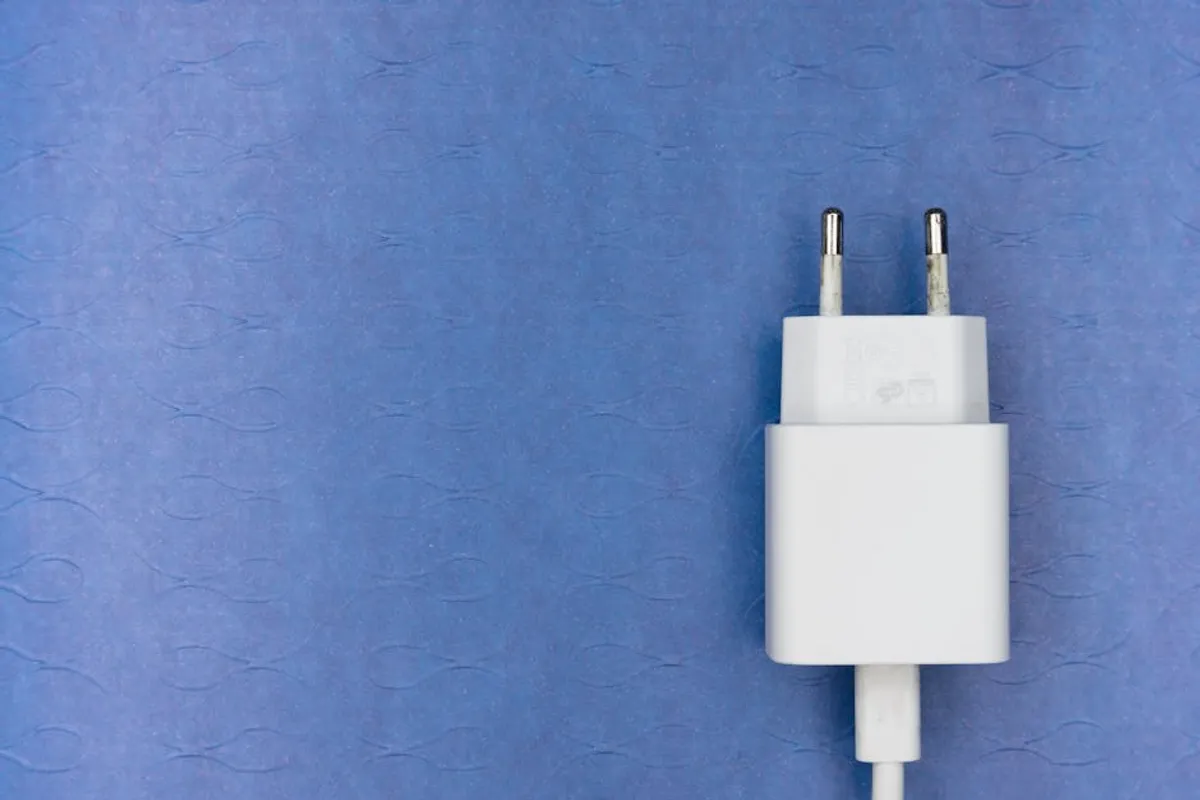
Smart plugs offer a practical entry point into home automation, transforming ordinary household appliances into remotely controllable, scheduled, and energy-aware devices. These compact units plug into standard wall outlets, then your appliance plugs into them, bridging the gap between traditional electronics and your smart home ecosystem. Their utility extends beyond simple on/off control, encompassing energy monitoring, voice command integration, and automation routines, providing both convenience and potential cost savings. Smart plugs offer a practical entry point into home automation, transforming ordinary household appliances into remotely controllable, scheduled, and energy-aware devices.
The market presents a diverse array of smart plugs, each with specific strengths in terms of connectivity, feature sets, and ecosystem compatibility. Choosing the right smart plug involves assessing your existing smart home setup, specific automation goals, and budget. This guide details leading smart plug options, outlining their core functionalities, ideal applications, and considerations for effective integration.
What to Look For in a Smart Plug
Selecting the appropriate smart plug requires evaluating several key factors to ensure compatibility and functionality align with your needs:
- Ecosystem Compatibility: Determine if the plug works with your existing smart home platform, such as Amazon Alexa, Google Home, Apple HomeKit, or Samsung SmartThings. Seamless integration ensures unified control and automation.
- Connectivity Protocol: Most smart plugs use Wi-Fi, which connects directly to your home network. Others utilize Zigbee, Z-Wave, Thread, or Matter, often requiring a dedicated hub for communication. Wi-Fi plugs are generally simpler to set up, while hub-based protocols can offer greater reliability, lower power consumption, and extended range for larger smart home networks. Matter is an emerging standard aiming for universal compatibility.
- Energy Monitoring: Some smart plugs include built-in energy monitoring, which tracks the power consumption of connected devices. This feature provides data to identify energy vampires and optimize usage, contributing to lower utility bills.
- Physical Design: Consider the plug's size and shape. Mini plugs are designed to occupy minimal space, allowing access to adjacent outlets. Outdoor-rated plugs offer weather resistance for exterior use. Multiple-outlet strips provide control over several devices from a single wall socket.
- Scheduling and Automation: All smart plugs offer basic scheduling, but advanced models allow for complex routines based on time of day, sunrise/sunset, or integration with other smart sensors (e.g., motion detectors, door sensors).
- Voice Control: Ensure the plug supports your preferred voice assistant for hands-free operation.
- Security and Privacy: Research the manufacturer's reputation for data security and privacy practices, as smart devices connect to your home network and collect usage data.
- Installation and Setup: Look for plugs with straightforward pairing processes and intuitive companion apps.
1. TP-Link Kasa Smart Plug Mini (KP105/EP10)
The Kasa Smart Plug Mini series from TP-Link represents a reliable and accessible entry point into smart home automation. These plugs connect directly to your home Wi-Fi network, eliminating the need for an additional hub, which simplifies initial setup. The Kasa app provides a user-friendly interface for scheduling, remote control, and setting up basic automation routines. Their compact design ensures they don't obstruct adjacent outlets, making them suitable for crowded power strips or dual-outlet wall plates. While they lack advanced features like energy monitoring on all models, their core functionality of dependable remote control and scheduling is consistently delivered.
Best For: Users seeking a straightforward, hub-free Wi-Fi smart plug with a proven track record for reliability and easy setup, especially for basic remote control and scheduling of indoor appliances.
Pros: No hub required, compact design, reliable Wi-Fi connectivity, intuitive Kasa app, broad compatibility with Alexa and Google Assistant.
Cons: Lacks energy monitoring on the most common models; limited to the Kasa ecosystem for advanced device interactions; does not support newer protocols like Thread or Matter.
Verdict: A solid, budget-friendly choice for foundational smart home control. The Kasa Mini plugs excel at simplifying the automation of lights and small appliances without complex configurations, making them ideal for first-time smart plug users or those expanding an existing Kasa setup.
2. Wyze Plug Outdoor
Wyze extends its ecosystem with the Wyze Plug Outdoor, designed to withstand external elements while providing smart control for outdoor lighting, holiday decorations, or patio appliances. This unit features two individually controllable outlets, each protected by weather-resistant covers when not in use. It connects via Wi-Fi, bypassing the need for a hub, and integrates seamlessly with the Wyze app, which manages other Wyze devices like cameras and sensors. The robust construction and dual-outlet design offer practical utility for exterior automation tasks that require durability against rain, dust, and temperature fluctuations.
Best For: Automating outdoor lighting, seasonal decorations, or garden equipment with individual control over two weather-resistant outlets.
Pros: IP64 weather resistance, two independently controllable outlets, no hub required, integrated with the Wyze ecosystem, includes energy monitoring.
Cons: Requires a strong outdoor Wi-Fi signal; limited to Wyze ecosystem for advanced routines; larger physical footprint due to its outdoor rating.
Verdict: An effective solution for extending smart home capabilities to the outdoors. Its dual-outlet design and durable construction make it a practical choice for managing multiple external devices, offering convenience and energy oversight in challenging environments.
3. Amazon Smart Plug
The Amazon Smart Plug is specifically engineered for seamless integration within the Alexa ecosystem. Its primary appeal lies in its "Frustration-Free Setup," which often allows the plug to connect to your Wi-Fi network and register with your Alexa account automatically upon plugging it in, provided you have an Echo device. This simplicity makes it an ideal choice for users already invested in Amazon's smart home platform. It offers basic remote control, scheduling, and voice command capabilities through Alexa, but it does not include energy monitoring or support for other smart home ecosystems directly.
Best For: Existing Amazon Alexa users seeking the easiest possible setup and seamless voice control for basic indoor appliance automation.
Pros: Extremely easy setup with Alexa, compact design, reliable connection within the Alexa ecosystem, supports Alexa voice commands instantly.
Cons: Exclusively tied to the Alexa ecosystem; no energy monitoring; limited advanced features beyond basic on/off and scheduling.
Verdict: For dedicated Alexa users, this plug provides unparalleled ease of use and immediate integration. While its feature set is minimal, its core function of simplifying smart control via Alexa is executed effectively, making it a convenient addition to an Echo-centric smart home.
4. Meross Smart Wi-Fi Plug Mini
Meross offers a range of smart home devices known for their broad compatibility and competitive pricing, and their Smart Wi-Fi Plug Mini is no exception. This plug stands out for its support across multiple ecosystems, including Apple HomeKit, Amazon Alexa, and Google Assistant, often without requiring a separate hub. Its compact form factor prevents it from blocking adjacent outlets. The Meross app provides a stable platform for scheduling and remote control, and the company frequently updates its firmware to maintain compatibility and security. It provides a balanced feature set for users who might operate across different smart home platforms.
Best For: Users requiring a versatile smart plug that supports multiple major smart home ecosystems (HomeKit, Alexa, Google Assistant) without a hub, at an accessible price point.
Pros: Wide ecosystem compatibility (HomeKit, Alexa, Google Assistant), no hub required, compact size, reliable Wi-Fi performance, competitive pricing.
Cons: Lacks energy monitoring; Meross app can be less polished than some competitors; some users report occasional connectivity drops depending on network stability.
Verdict: The Meross Smart Wi-Fi Plug Mini delivers excellent value through its broad compatibility and hub-free operation. It's a strong contender for users who need flexibility across different smart home platforms, offering a reliable foundation for automating various household devices.
5. Eve Energy (Thread & Bluetooth)
Eve Energy is tailored specifically for Apple HomeKit users, leveraging Thread and Bluetooth connectivity for enhanced responsiveness and reliability within the HomeKit ecosystem. Its Thread support means it can create a mesh network with other Thread-enabled devices (like HomePod mini or Apple TV 4K acting as border routers), improving range and reducing latency compared to Bluetooth-only devices. A key feature is its integrated energy monitoring, which accurately tracks power consumption and estimates costs for connected appliances, viewable directly within the Home app or Eve's dedicated app. The design is sleek, and its focus on privacy, processing data locally, aligns with Apple's ecosystem principles.
Best For: Dedicated Apple HomeKit users who prioritize local control, robust energy monitoring, Thread network capabilities, and strong data privacy.
Pros: Native Apple HomeKit support, Thread and Bluetooth connectivity for improved reliability and range, precise energy monitoring, local data processing for privacy, compact design.
Cons: Exclusively for Apple HomeKit; higher price point than Wi-Fi-only alternatives; requires an Apple Home hub (HomePod mini, Apple TV) for remote access and Thread functionality.
Verdict: For HomeKit enthusiasts, Eve Energy is a premium choice that justifies its cost with superior integration, advanced networking, and detailed energy insights. Its commitment to privacy and local control makes it a standout option within the Apple smart home environment.
6. Google Nest Power Outlet (requires Nest Hub or Google Home speaker)
While Google doesn't offer a standalone "Google Smart Plug" in the same vein as Amazon, their smart home ecosystem integrates with a variety of third-party Matter-enabled smart plugs. For direct Google Assistant control, the Google Nest Power Outlet (sometimes branded as a C by GE or Cync plug, now under Google's umbrella) often requires a Google Nest Hub or Google Home speaker to act as a bridge or Matter controller. These plugs offer basic on/off control, scheduling, and voice commands through Google Assistant. Their strength lies in their deep integration with Google's broader smart home vision, allowing for seamless inclusion in routines and automations managed via the Google Home app. Energy monitoring capabilities vary by specific model and manufacturer.
Best For: Users deeply embedded in the Google Home ecosystem who want to expand control over traditional appliances with seamless Google Assistant integration and routine automation.
Pros: Deep integration with Google Home and Assistant, supports Matter for future compatibility, simple control via Google Home app, often compact designs available.
Cons: May require a Google Nest Hub or compatible speaker for full functionality; specific features like energy monitoring depend on the third-party manufacturer; not a standalone Google-branded product.
Verdict: These plugs serve as a natural extension for Google Home users, offering reliable voice and app control for non-smart devices. The increasing adoption of Matter will further enhance their utility and interoperability within the Google ecosystem, making them a future-proof choice for those committed to Google's platform.
7. Philips Hue Smart Plug
The Philips Hue Smart Plug is designed to integrate seamlessly into a Philips Hue lighting system, leveraging the Hue Bridge (Zigbee hub) for communication. This means it benefits from the Hue ecosystem's robust mesh network, extending the range and reliability of your smart home. While primarily known for lighting, the Hue Smart Plug extends Hue's control capabilities to any small appliance. It allows for remote control, scheduling, and integration into existing Hue scenes and routines, all managed through the intuitive Philips Hue app. Its compact, unobtrusive design is also a notable advantage, ensuring it doesn't block other outlets.
Best For: Existing Philips Hue users who want to extend their smart home ecosystem beyond lighting to control small appliances, leveraging their existing Hue Bridge.
Pros: Seamless integration with Philips Hue ecosystem, compact design, reliable Zigbee mesh network connectivity (via Hue Bridge), supports Hue scenes and routines.
Cons: Requires a Philips Hue Bridge; higher cost than many Wi-Fi plugs; no energy monitoring; less suitable for users without an existing Hue setup.
Verdict: For those already invested in Philips Hue, this smart plug is a logical and reliable addition, expanding the reach of their smart lighting system to other devices. Its dependence on the Hue Bridge makes it a niche but highly effective solution for that specific user base.
8. Leviton Decora Smart Wi-Fi Mini Plug-in Outlet (D215P)
Leviton, a long-standing name in electrical wiring devices, offers the Decora Smart Wi-Fi Mini Plug-in Outlet, combining traditional electrical reliability with modern smart home features. This plug connects directly to Wi-Fi, eliminating the need for a hub, and is compatible with Amazon Alexa, Google Assistant, and IFTTT. Its Decora Smart line is known for its robust build quality and consistent performance. The My Leviton app provides detailed control, scheduling, and custom scene creation. While it focuses on core smart plug functionality without energy monitoring, its strength lies in its dependability and the brand's reputation for electrical safety and longevity.
Best For: Users prioritizing robust build quality and reliability from a recognized electrical brand, seeking hub-free Wi-Fi control with broad voice assistant compatibility.
Pros: Reputable brand for electrical products, no hub required, robust construction, compatible with Alexa, Google Assistant, and IFTTT, compact design.
Cons: Lacks energy monitoring; My Leviton app can be less intuitive than some competitors; higher price point than some budget Wi-Fi plugs.
Verdict: The Leviton Decora Smart Wi-Fi Mini Plug-in Outlet is a dependable workhorse for smart home control. Its emphasis on reliability and sturdy construction makes it a suitable choice for users who value long-term performance and brand trust over cutting-edge features like energy tracking.
9. ConnectSense Smart Outlet 2
The ConnectSense Smart Outlet 2 is a dual-outlet smart plug that stands out for its robust Apple HomeKit integration and individual energy monitoring for each receptacle. It connects via Wi-Fi, meaning no separate hub is required, and also supports Amazon Alexa and Google Assistant. The ability to track energy consumption for two separate devices from a single wall outlet provides granular insights into power usage. Its industrial design and built-in USB charging port (on some models) add to its versatility, making it a comprehensive solution for managing multiple devices and charging needs from one location.
Best For: Apple HomeKit users who need individual control and energy monitoring for two devices from a single plug, with additional support for Alexa and Google Assistant.
Pros: Dual outlets with independent control and energy monitoring, native Apple HomeKit support, no hub required, includes USB charging port (on some models), supports Alexa and Google Assistant.
Cons: Larger physical size due to dual outlets; higher price point; some users report occasional HomeKit connectivity issues requiring re-pairing.
Verdict: The ConnectSense Smart Outlet 2 offers a powerful combination of dual-device control, precise energy monitoring, and broad ecosystem compatibility. It's a valuable asset for users looking to maximize smart control and energy insights from a single wall socket, particularly within a HomeKit environment.
10. Gosund Smart Plug (with Energy Monitoring)
Gosund offers a cost-effective entry into smart plug functionality, with specific models including energy monitoring. These Wi-Fi-enabled plugs connect directly to your home network, bypassing the need for a hub. They integrate with the Smart Life app (or Gosund's own app, which is often a rebranded Smart Life app), providing remote control, scheduling, and access to energy consumption data. Their primary appeal is their aggressive pricing, making smart home automation accessible on a budget. While the app experience might not be as polished as premium brands, the core functions of remote control and energy tracking are typically delivered.
Best For: Budget-conscious users seeking basic Wi-Fi smart plug functionality with energy monitoring, compatible with Alexa and Google Assistant.
Pros: Very affordable, includes energy monitoring (on specified models), no hub required, compatible with Alexa and Google Assistant, compact design.
Cons: App experience can be less refined; brand longevity and support may vary; some models have a larger footprint; occasional reports of less stable Wi-Fi connections.
Verdict: For those prioritizing affordability and basic energy monitoring, Gosund smart plugs offer a compelling option. They provide the essential features for automating devices and gaining insights into power usage without a significant financial outlay, making them suitable for widespread deployment in a home.
How to Use Smart Plugs Effectively
Integrating smart plugs into your daily life can streamline routines and enhance convenience:
- Automate Lighting: Schedule lamps to turn on at sunset and off at bedtime, or integrate them into "wake up" routines that gradually brighten your room.
- Control "Dumb" Appliances: Connect coffee makers, fans, humidifiers, or even hair straighteners to a smart plug for remote activation or scheduled operation. This ensures your coffee is ready when you wake up or prevents appliances from being left on accidentally.
- Energy Monitoring: For plugs with this feature, identify energy-hungry devices. Track how much power your entertainment system or office equipment consumes, then create schedules to power them down completely when not in use, eliminating standby power drain.
- Create "Vacation Mode": Program lights to turn on and off randomly while you're away, simulating occupancy to deter potential intruders.
- Voice Control: Pair plugs with your voice assistant (Alexa, Google Assistant, Siri) to turn devices on or off with simple commands, useful when your hands are full or you're across the room.
- Seasonal Decorations: Automate holiday lights or outdoor string lights to turn on and off at specific times, eliminating the need for manual timers.
- Integrate with Routines: Combine smart plugs with other smart home devices. For example, a "Good Morning" routine could turn on your bedroom lamp, start the coffee maker, and play the news through a smart speaker.
Choosing the Right Smart Plug for Your Needs
The ideal smart plug is one that integrates seamlessly into your existing smart home ecosystem, fulfills your specific automation requirements, and fits your budget. Prioritize compatibility with your preferred voice assistant and smart home hub (if you use one). If energy savings are a primary goal, opt for plugs with robust energy monitoring features. Consider the physical design for tight spaces or outdoor applications. Ultimately, a well-chosen smart plug simplifies daily tasks, enhances home security, and provides valuable insights into energy consumption, making your home more efficient and responsive.
Frequently Asked Questions
Do smart plugs use a lot of electricity?
Smart plugs themselves consume very little power, typically between 0.5 to 2 watts, even when idle. This minimal consumption is for maintaining Wi-Fi or hub connection. The energy savings from automating connected devices, especially those that draw "vampire" power when off, usually far outweigh the plug's own consumption.
Do smart plugs need Wi-Fi?
Many popular smart plugs operate using Wi-Fi and connect directly to your home network. However, some smart plugs use other protocols like Zigbee, Z-Wave, or Thread, which typically require a dedicated hub (e.g., Philips Hue Bridge, SmartThings Hub, Apple HomePod mini for Thread) to function and connect to your wider smart home system.
Can smart plugs control any appliance?
Smart plugs can control most appliances that plug into a standard wall outlet and have a simple on/off switch. However, they are generally not suitable for high-power appliances like electric heaters, air conditioners, or washing machines, which can exceed the plug's maximum wattage rating. Always check the plug'



